
Key points
- On 26 September 2026 Bangkok declared a flood disaster for all 50 districts, and more rain was expected for 5 to 10 October.
- When the office floods, power is cut and everything that only exists in that building stops: servers, VPN, phones, printers, devices.
- AI agents can detect the outage, map it to blocked business processes and start the agreed fallback within hours.
- They can only switch to alternatives that were prepared before the rainy season.
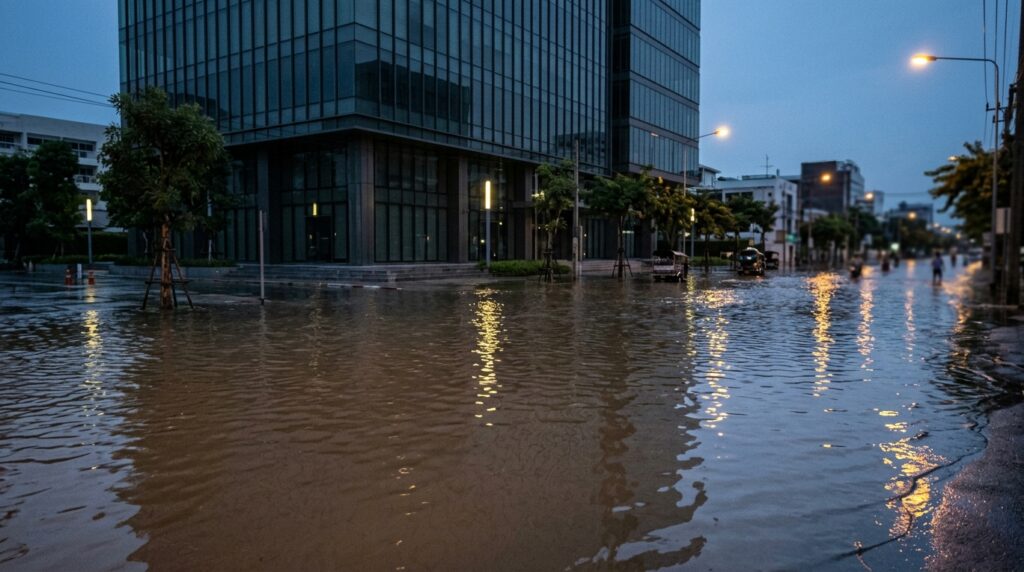
On 26 September 2026 Bangkok declared a flood disaster for all 50 districts. Almost 300 mm of rain had fallen in less than 48 hours, roads in the central and eastern parts of the city were under water, and many businesses simply closed. Many residents compared it to 2011. Experts already warned of more rain and flooding between 5 and 10 October, with the major canals still full.
For most companies the question is not whether the office gets wet. It is how fast the business can work without it. With the right setup, AI can take a large part of that switch off the shoulders of management: it knows which processes depend on the building, finds the alternative and keeps people working while the water is still in the lobby.
What actually stops when the office floods
When water comes into the ground floor, power to the building is usually switched off for safety. From that moment everything that only exists in that building stops working. In a typical Bangkok office this is more than people expect:
- The server room or the rack in the storeroom. File server, accounting software, the old ERP, the NAS with the backups. Often on the ground floor, because that is where there was space.
- The internet line and the firewall. Even cloud services are unreachable if all remote access goes through the office VPN.
- Phones. The PBX, the reception number, the hotline customers know.
- Printers and scanners for invoices, delivery notes, tax documents and anything that still needs a stamp and a signature.
- Devices. Desktops that never leave the office, laptops left on the desk on Friday evening.
- Knowledge. The person who knows how payroll runs or where the supplier contracts are cannot reach the office either, and maybe not even the internet.
The problem is rarely that nobody can work. The problem is that nobody knows quickly enough which processes are blocked, which ones still run, and what the workaround is. That costs days, and in the second week it costs customers.
How AI finds the blocked processes and the alternative
The agents do not guess. They compare what is down with a map of which process depends on which system, and then start the fallback that was agreed for it: cloud services, Teams phones, home office. Where there is no fallback, a named person gets the decision with a clear deadline. Every step is logged.
The first 48 hours with AI agents
An agent does not pump water. What it does is the work a good IT manager would do in the first two days, only in hours instead of days, and at 3 a.m. when the first warning comes in.
- Early warning. The agents watch BMA and weather warnings, the cell broadcast alerts and the status of the office: power, line, UPS, temperature. When the risk for the location rises, management gets a short message with the options, before the water is there.
- Impact in minutes. As soon as the office goes dark, the agents check which systems no longer answer and match that against the process map. The result is one page: which processes are blocked, which run, which run only in part.
- Switch to the alternative. For every blocked process the agreed fallback is started. Phone numbers are routed to Teams or mobile phones. Users who still worked on the office VPN get access to the cloud services directly. Workloads that were prepared for it start in the cloud from the last backup.
- Keep people working. Every employee gets a short message in their own language: what works, how to log in from home, who to call. Laptops that are not managed or not encrypted are flagged, so nobody shares files over private chats in a panic.
- Watch what is left. Processes that cannot be switched, for example payment approvals that need a physical token, go to a named person with a clear deadline.
- Document. Every step is logged: what failed, what was switched, what it cost in hours. This is what insurance, auditors and the board will ask for afterwards.
Once the water is gone, the same agents run the way back: check the hardware, sync data that was changed in the cloud, switch the numbers back, close the incident.
What has to be in place before the water comes
AI can only switch to an alternative that exists. Agents are fast, but they cannot build a cloud tenant, order a phone number or explain a process nobody ever wrote down while the city is under water. The preparation is short, but it has to be done before the rainy season:
| What | Why it matters on day 1 |
|---|---|
| A process map: which business process depends on which system, location and person | Without it nobody knows what is really blocked |
| An agreed fallback per critical process: cloud, home office, partner site, manual workaround | The agent starts what was agreed, it does not invent alternatives in a crisis |
| Identities and access in the cloud, with MFA and conditional access | People can log in from anywhere without the office VPN |
| Managed and encrypted laptops for everyone who needs to work | No data on private devices, no lost data when a desk is under water |
| Backups outside the building, restore tested | A backup on the NAS next to the server drowns with the server |
| Phone numbers that can be redirected without the office PBX | Customers still reach somebody |
| Contact list and message templates in Thai and English | Staff know within the first hour what to do |
| Server and network equipment off the ground floor, or better out of the building | Many outages could be avoided by one floor |
Most of this is not new and not expensive. What is new is that agents can keep it current. They notice when a new process depends on the old file server again, when a laptop is no longer encrypted or when a restore test has not run for 3 months.
What stays with management
The agents switch, inform and document. Some decisions they should never take:
- People first. Whether staff come to the office at all, and who is allowed into a flooded building, is decided by people. No process is worth the risk.
- Priorities. If not everything can run, management decides what runs first: customer orders, payroll, supplier payments.
- Money and contracts. Payment releases, changes to supplier agreements and statements to customers keep a human sign-off.
- Communication outside. What the company tells customers, partners and the press.
The floods of 2011 showed how long a city can be affected. Bangkok in 2026 shows that the season comes back. For a company the question is simple: how many days can we afford with the office out of service, and what is our answer on day 1?
If you want to know where your company stands, our Executive IT & AI Review is a good first step. We map your critical processes against your locations and systems, show where the single points of failure are, and set up the fallbacks so agents can run them when it counts. Book a call.